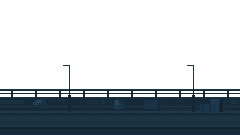
Composant

Vertical Parallax

Un composant TypeScript léger pour déplacer plusieurs calques au scroll.

Dernière mise à jour : 08/08/2026

Pourquoi ce composant

Je voulais un effet de parallaxe facile à intégrer dans une page, avec peu de réglages et un fonctionnement simple à comprendre.

L'idée était de garder quelque chose de léger : un conteneur, plusieurs calques, une vitesse définie pour chacun, puis un déplacement calculé au scroll.

De plus, l'effet est désactivé sur les petits écrans et si JavaScript est désactivé dans le navigateur, les calques restent affichés sans animation.


Code et utilisation

Le principe tient en quelques étapes : récupérer la position du conteneur, calculer son décalage dans le viewport, appliquer la vitesse propre à chaque calque, puis mettre à jour le translateY.

L'objectif était surtout d'obtenir un composant simple à comprendre, facile à intégrer et suffisamment léger pour ne pas justifier l'ajout d'une bibliothèque d'animation.

1

Position

Le composant lit la position du conteneur dans le viewport.

2

Vitesse

Chaque calque applique sa valeur data-parallax-speed.

3

Transformation

Le déplacement final est appliqué avec un translateY.

Classe TypeScript complète

export class VerticalParallax {
    private container: HTMLDivElement; // Reference to the container element
    private elements: NodeListOf<HTMLElement>; // Collection of elements to apply parallax effect
    private isDisabled: boolean; // Boolean to check if the effect should be disabled

    /**
     * Constructor for creating a VerticalParallax instance.
     * @param container - The ID of the container HTMLDivElement.
     * @param selector - The selector used to find elements within the container for applying the parallax effect.
     * Initializes the parallax elements and attaches the necessary event listeners.
     */
    constructor(container: string, selector: string) {
        this.container = document.getElementById(container) as HTMLDivElement; // Initializes the main container div
        this.elements = document.querySelectorAll(selector); // Initializes the elements based on the selector
        this.isDisabled = this.checkIfDisabled(); // Determine if the effect should be disabled

        if (!this.isDisabled) {
            this.attachEvents(); // Set up event listeners for the scroll event if the effect is enabled
        }
    }

    /**
     * Checks if the effect should be disabled.
     * @returns boolean - True if the device is mobile or has a small viewport.
     */
    private checkIfDisabled(): boolean {
        const userAgent = navigator.userAgent || navigator.vendor || (window as Window & { opera?: string }).opera || "";
        const isMobile = /android|iPhone|iPad|iPod|BlackBerry|IEMobile|Opera Mini/i.test(userAgent);
        const isSmallScreen = window.matchMedia("(max-width: 768px)").matches;

        return isMobile || isSmallScreen;
    }

    /**
     * Attaches scroll event listeners to the window.
     * Listens for scroll events to apply the parallax effect.
     */
    private attachEvents(): void {
        window.addEventListener("scroll", () => {
            this.handleScroll();
        });
    }

    /**
     * Handles the scroll event to apply parallax effects to the elements.
     * Calculates and applies the vertical parallax effect based on the scroll position.
     */
    private handleScroll(): void {
        const containerRect = this.container.getBoundingClientRect(); // Get the container's position relative to the viewport

        // Check if the top of the container is within view
        if (containerRect.top <= 0 && containerRect.bottom >= 0) {
            this.elements.forEach((element) => {
                const speed = parseFloat(
                    element.getAttribute("data-parallax-speed") || "0.2"
                ); // Read and parse the parallax speed attribute

                const containerOffset = -containerRect.top;
                const parallaxOffset = containerOffset * speed;

                element.style.transform = `translateY(${parallaxOffset}px)`; // Apply the parallax transformation
            });
        } else if (containerRect.top > 0) {
            this.elements.forEach((element) => {
                element.style.transform = `translateY(0px)`; // Reset transformation when the container is above the viewport
            });
        }
    }

    /**
     * Refreshes the parallax effects manually, for use when significant page layout changes occur (like theme changes).
     */
    public refresh(): void {
        if (!this.isDisabled) {
            this.elements = this.container.querySelectorAll("[data-parallax-speed]");
            this.handleScroll();
        }
    }
}

Initialisation

document.addEventListener("DOMContentLoaded", () => {
    new VerticalParallax("verticalParallax-container", ".verticalParallax-layer");
});

Structure HTML

<div id="verticalParallax-container" class="relative overflow-hidden">
    <picture data-parallax-speed="1" class="verticalParallax-layer">
        <img src="/assets/img/layer-01.webp" alt="" loading="lazy">
    </picture>

    <picture data-parallax-speed="0.35" class="verticalParallax-layer">
        <img src="/assets/img/layer-02.webp" alt="" loading="lazy">
    </picture>
</div>